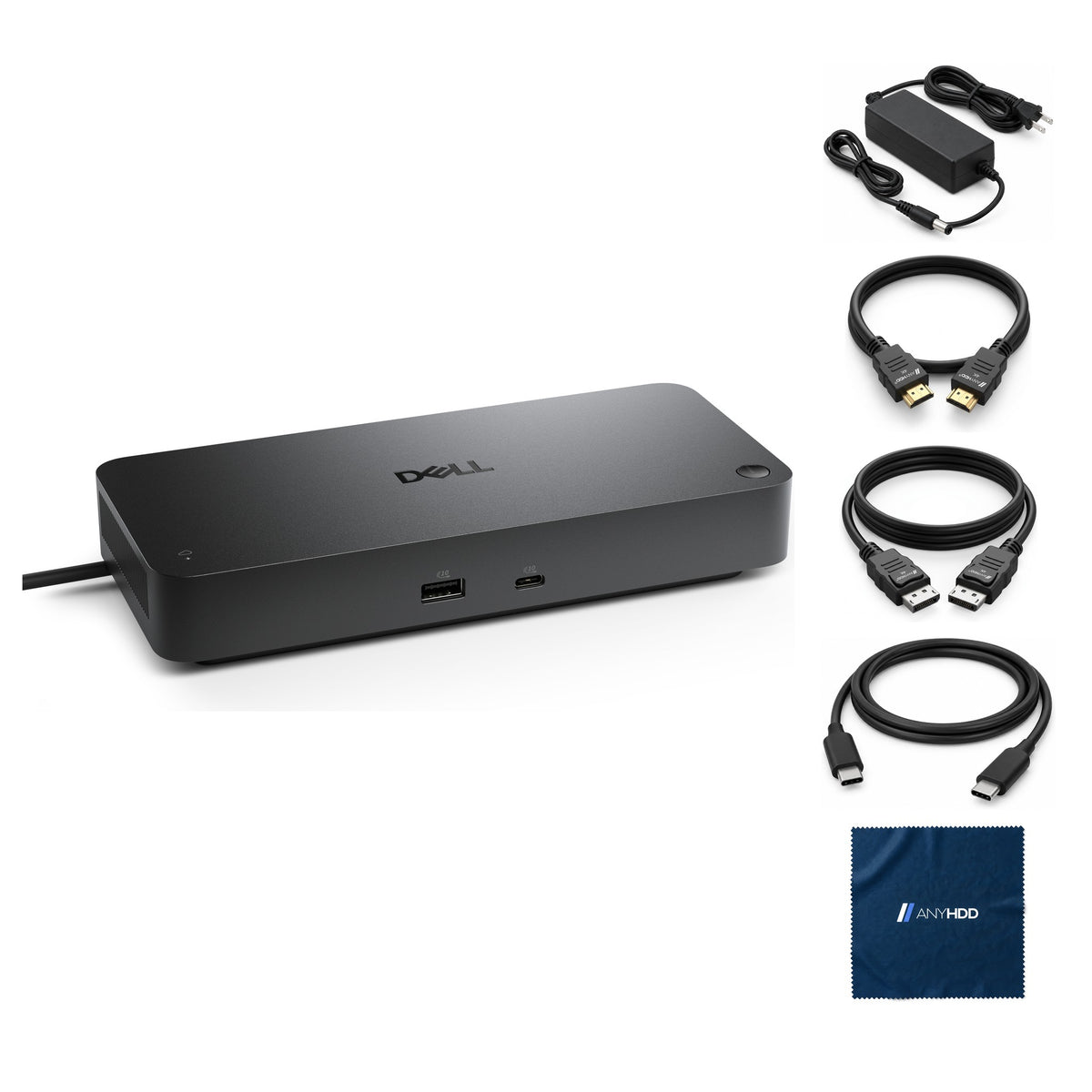

Dell Pro Thunderbolt 5 Smart Dock SD25TB5 300W Power Delivery
Online ordering opens soon. Contact us for pricing and availability.

What's in the box.


One Thunderbolt 5 cable.
Your whole desk.
Plug the SD25TB5 into your laptop and it takes over: up to 300 W of power, up to four displays, 2.5 GbE, two Thunderbolt 5 ports and six 10 Gbps USB ports, all through one cable.

Charges while it works.
Dell's SD25TB5 runs on a 330 W adapter and delivers up to 300 W to Dell computers, or up to 240 W to others.
The USB and Thunderbolt ports keep charging phones and headsets with no laptop connected, as long as the adapter is plugged in.
Up to four displays.
Pick your laptop and layout.
Two DisplayPort 2.1, one HDMI 2.1, a USB-C video port and two Thunderbolt 5 ports. Choose your laptop type, then the number of screens.
Figures are Dell's published maximums from the SD25TB5 display resolution tables; Dell lists Thunderbolt 5 configurations with Display Stream Compression. On a Thunderbolt 4 laptop one DisplayPort monitor can run 8K (7680 × 4320) at 60 Hz over two DisplayPort cables. Qualcomm computers support up to two displays; Intel Core Ultra 200V computers up to three with the laptop screen off. Monitors on the Thunderbolt ports need DSC support for full resolution.
Twelve ports. Two of them Thunderbolt 5.
Quick-access USB on the front; DisplayPort 2.1, HDMI 2.1, USB, two Thunderbolt 5 ports, 2.5 GbE and power on the back.
Front
- USB-A 3.2 Gen 210 Gbps · 4.5 W
- USB-C 3.2 Gen 210 Gbps · 15 W
Rear — video
- HDMI 2.1video and audio
- DisplayPort 2.1 × 2
- USB-C 3.2 Gen 2 with DisplayPort 2.110 Gbps · 7.5 W
- Thunderbolt 5 × 280 Gbps · USB4 2.0 · DisplayPort 2.1 · 15 W
Rear — data and power
- USB-A 3.2 Gen 2 × 310 Gbps · 4.5 W each
- RJ45 Ethernet2.5 GbE · Wake-on-LAN
- Power in 7.4 mm330 W Dell adapter
Wired where it counts.
2.5 gigabit Ethernet, plus two 80 Gbps Thunderbolt 5 ports for storage or a Thunderbolt display.
- 2.5 GbE EthernetRJ45 at 10/100/1000/2500 Mbps.
- Wake-on-LANOn select Dell computers and non-Dell computers with USB Power Delivery 3.1. Wake from S5 only on non-Thunderbolt computers.
- MAC address pass-throughOn select Dell and non-Dell computers; check the platform documentation.
- Two Thunderbolt 5 ports80 Gbps for USB4 2.0 and Thunderbolt 5; other devices run at USB 3.0 speeds.

Built for the whole floor.
The SD25TB5 is a Dell Pro smart dock: IT can manage it remotely, without a computer attached.
Remote management
Dell Device Management Console manages Dell Pro smart docks from the cloud: fleet summary, peripheral inventory, firmware updates and settings. The remote management LED shows the cloud connection.
Update on disconnect
The firmware utility has a silent mode. An update-on-disconnect option applies the dock EC firmware when the user undocks.
Intel AMT over Thunderbolt
Out-of-band management through the dock's Thunderbolt link with select Intel vPro computers, plus PXE boot and Kernel DMA protection.
Port control
USB ports and USB or Thunderbolt protocols can be disabled from the laptop's BIOS or from Dell Device Management Console.
Works with what you already own.
Dell recommends a Thunderbolt port and supports USB-C ports with DisplayPort Alt Mode. Dell laptops get up to 300 W and power-button sync.
A Thunderbolt port (recommended), or a USB-C port with DisplayPort Alt Mode.
Dell recommends current BIOS, graphics, Thunderbolt and Ethernet drivers and the latest SD25TB5 firmware. Dell says the dock is Thunderbolt certified for macOS, with some limitations.
Factory sealed, ready to connect.
New in the original Dell packaging, with the cables you need packed alongside.
Original Dell carton
New stock in the manufacturer's sealed retail packaging, never opened.
Dell accessories inside
Everything Dell packs in the carton stays in the carton, including the power adapter where one is supplied.
Ready to connect
Packed alongside the sealed carton: AnyHDD HDMI cable, AnyHDD DisplayPort cable, USB-C to USB-C cable and AnyHDD microfiber cloth.
Backed by AnyHDD's one-year warranty and 30-day returns, with free return shipping on defective items. We've supplied IT hardware to businesses since 2006.
Tech specs
As published in Dell's SD25TB5 user's guide.
| Model | Dell Pro Thunderbolt 5 Smart Dock SD25TB5 |
|---|---|
| Host connection | Thunderbolt 5 (USB-C), 0.83 m docking cable. Also works with USB-C hosts with DisplayPort Alt Mode |
| Video ports | 2 × DisplayPort 2.1 1 × HDMI 2.1 1 × USB-C 3.2 Gen 2 with DisplayPort 2.1 2 × Thunderbolt 5 |
| External displays | Up to 4 (3 on Intel Core Ultra 200V computers, with the laptop screen off) |
| USB-A ports | 4 × USB 3.2 Gen 2, 10 Gbps (1 front, 3 rear) |
| USB-C ports | Front USB-C 3.2 Gen 2 Rear USB-C 3.2 Gen 2 with DisplayPort 2.1 Alt Mode 2 × Thunderbolt 5, 80 Gbps |
| Network | RJ45, 10/100/1000/2500 Mbps. Wake-on-LAN and MAC address pass-through on select computers |
| Power adapter | 330 W Dell, 7.4 mm |
|---|---|
| Power delivery to host | 300 W to Dell computers Up to 240 W to non-Dell computers |
| Power delivery, USB | Front USB-C 15 W · Thunderbolt 5 15 W each · Rear USB-C 7.5 W · Each USB-A 4.5 W |
| Power button | Sleep / wake / power. Mimics the host button on compatible Dell computers |
| LED indicators | Power button LED, remote management LED, RJ45 LEDs |
| Operating systems | Windows 10, Windows 11, Ubuntu 24.04, Red Hat Enterprise Linux 9.7+, ChromeOS 141, macOS (with some limitations) |
| Systems management | PXE boot, Kernel DMA protection, Intel AMT over Thunderbolt with select vPro computers, Dell Device Management Console |
Sources: Dell Pro Thunderbolt 5 Smart Dock SD25TB5 User's Guide (product specifications, power delivery, power adapter, display resolution tables, Dell Device Management Console).
Questions we get asked.
Will the SD25TB5 work with my laptop, or a Mac?
Dell recommends a Thunderbolt port and supports USB-C ports with DisplayPort Alt Mode. Dell computers get up to 300 W; non-Dell computers up to 240 W. Dell lists macOS as supported and says the dock is Thunderbolt certified for macOS, but users may see some limitations. Qualcomm-based computers support up to two displays.
Why am I asked to approve a Thunderbolt device after I log in?
That is Thunderbolt security set in the BIOS (User Authorization or Secure Connect). Choose Always Connect to allow the dock every time, Connect Only Once, or Do Not Connect. With Thunderbolt Boot Support enabled and the dock attached at power-on, the prompt does not appear.
Will the dock charge my phone with the laptop unplugged?
Yes. With the AC adapter plugged in, the USB and Thunderbolt ports charge devices even when no computer is connected: 15 W on the front USB-C and each Thunderbolt 5 port, 7.5 W on the rear USB-C and 4.5 W on each USB-A.
My devices stopped working after a power cut. What should I do?
The dock runs on AC power only and has to renegotiate power with the computer afterwards. Disconnect and reconnect the AC adapter at the back of the dock. If the dock has no power, unplug the USB-C cable from the computer and the adapter, plug the adapter back in, and the dock LED blinks three times.
Do I need a Thunderbolt 5 laptop?
No. Dell publishes separate resolution tables for Thunderbolt 5, Thunderbolt 4 and non-Thunderbolt USB-C computers (see the selector above). A Thunderbolt 5 laptop gets the 80 Gbps link and up to four UHD displays at 120 Hz with Display Stream Compression.
What warranty comes with it?
It is covered by the AnyHDD 1-year warranty from the date of delivery, against defects in materials and workmanship and hardware failures under normal use. It may also carry the manufacturer's warranty.
Can I return it?
Yes: 30-day returns, with free return shipping on defective items. You have 30 days from delivery. If it arrived defective, damaged or isn't what you ordered, we cover return shipping; for other returns the return label is yours. Please send back the same item we shipped.
Is it new, or renewed?
This listing is new: the dock ships factory sealed in Dell's own carton, with our cables and cloth packed alongside.
Who is AnyHDD?
We've supplied business IT hardware since 2006: new and certified refurbished docks, monitors, printers, scanners and storage, tested on our own bench before they ship.



