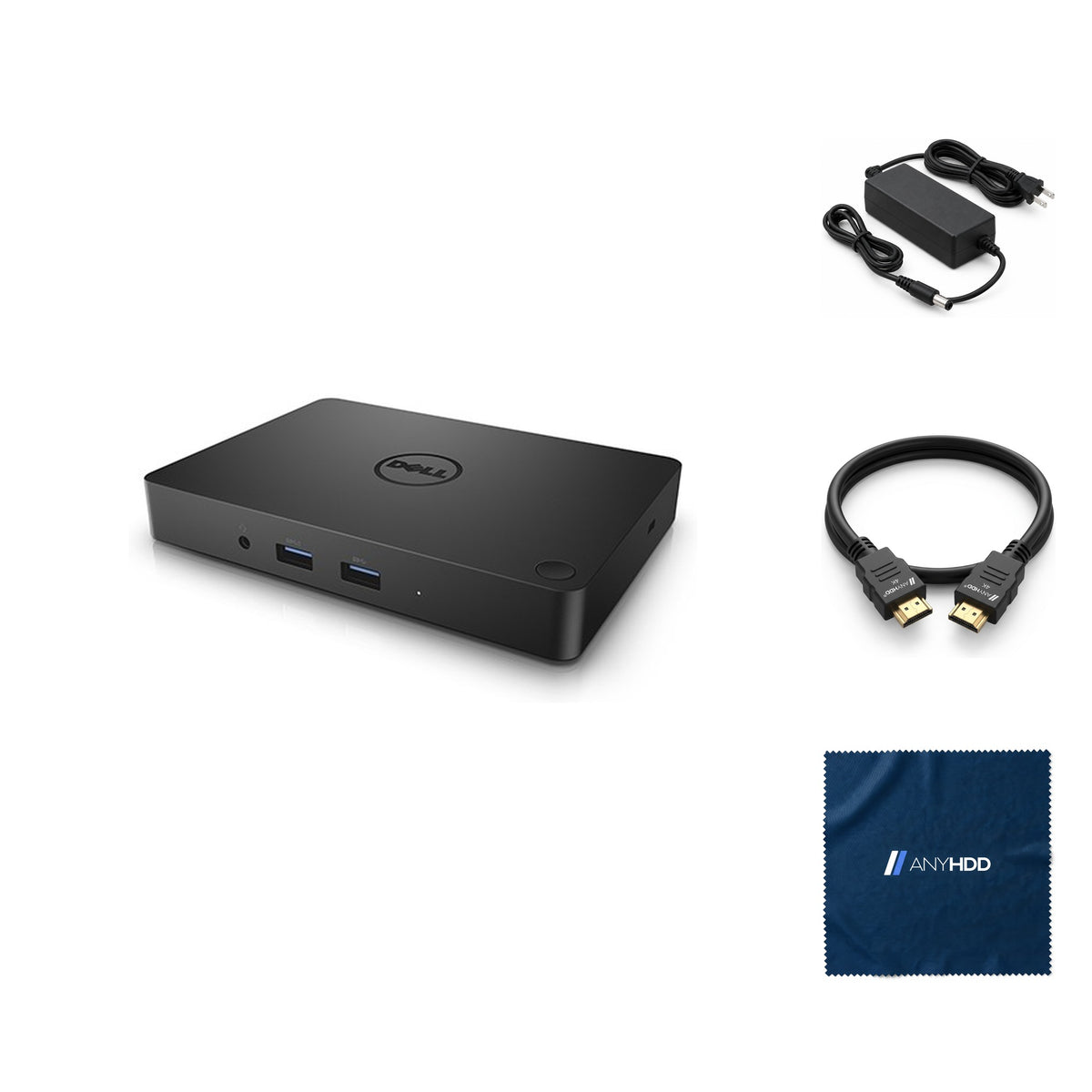

Dell WD15 USB-C Docking Station with HDMI, DisplayPort, Ethernet and USB Ports for Laptops and Multi-Display Setups (refurbished)
Online ordering opens soon. Contact us for pricing and availability.

What's in the box.


One cable. Every port you need.
Plug the WD15 into a USB-C laptop and it adds mini DisplayPort, HDMI and VGA for up to three displays, Gigabit Ethernet, five USB ports and audio, and charges the laptop from its 130 W adapter.

Charges while it works.
The WD15 runs from a 130 W adapter and charges the laptop over the same USB-C cable that carries the displays and data. Dell's note for this kit: a laptop that needs more than 130 W of input power must also be connected to its own adapter to charge and run at full performance.
The front USB 3.0 port marked with the battery icon is a PowerShare port for charging a phone or headset.
Up to three displays.
Pick your layout.
Mini DisplayPort, HDMI and VGA, sharing two lanes of DisplayPort from the laptop (up to 10.8 Gbps). Choose how many screens you run to see what the WD15 drives.
DisplayPort over USB-C, or Thunderbolt. Dell: the WD15 is not compatible with every USB-C port; a USB-C port without DisplayPort won't drive the monitors.
For a third external monitor the laptop's own display must be turned off, and all three run at 1280 × 1024.
Figures from Dell's WD15 User Guide display resolution table ("4k x 2k @ 30 Hz" as Dell writes it). Each monitor's EDID also limits them. HDCP-protected content isn't supported on the dock's outputs.
Eleven ports, front and back.
Video, network, USB and speaker out on the back; a headset jack and two USB 3.0 up front.
Front
Rear
The two USB 2.0 ports are stacked; the Kensington slot is on the side.
Front
- Headset jackheadphone and microphone
- USB 3.0 × 2one with PowerShare
Rear — video
- Mini DisplayPortDP 1.2
- HDMIHDMI 1.4a
- VGAup to 1920 × 1200
Rear — data, audio and power
- USB 3.0 × 1
- USB 2.0 × 2stacked
- Gigabit EthernetRJ45
- Line outspeakers
- Power in 7.4 mm130 W adapter
Wired where it counts.
Gigabit Ethernet gives a laptop that lives on Wi-Fi a steady connection at the desk, and five USB ports cover drives, printers and receivers.
- Gigabit EthernetRJ45 link LEDs: green 10 Mb, orange 100 Mb, green + orange 1 Gb; flashing on activity.
- PXE and USB bootThrough the dock, once enabled in the laptop BIOS (Dell troubleshooting guide).
- Three USB 3.0, two USB 2.0USB 3.0 front and back for drives; USB 2.0 for the keyboard, mouse and printer.
- Headset and speakersHeadset jack on the front, speaker out on the back.
Built for the whole floor.
A compact commercial dock that IT already knows how to deploy.
Power button sync
On supported Dell laptops the dock's button powers on, sleeps or force-shuts down the laptop.
Replaceable cable
The USB-C cable comes off with two screws under a rubber shield, for field replacement.
VESA option
Mounts behind a monitor or under a desk with Dell's MK15 mounting kit.
Lock slot
A Kensington lock slot keeps it on the desk.
Works with what you already own.
Any laptop with DisplayPort over USB-C or Thunderbolt. Dell laptops get power-button sync.
A USB-C port with DisplayPort, or a Thunderbolt port. Update the laptop BIOS first: Dell warns older BIOS versions may not recognize the dock.
Dell's Realtek USB GbE Ethernet and Realtek USB Audio drivers from dell.com/support (plus a USB audio/mouse patch on Windows 8.1 and 10, and Thunderbolt firmware on Thunderbolt laptops).
Renewed, the way we do it.
Every WD15 goes through the same five stations before it's listed. If it doesn't pass, it doesn't ship.
Intake and identification
Model, revision and service tag logged. Anything that isn't a genuine Dell WD15 is rejected here.
Full functional test
Every port loaded, all three video outputs driven, charging checked on a real laptop.
Firmware and erase
Latest Dell firmware and drivers applied. Any stored settings cleared.
Clean and grade
Housing cleaned and inspected. Cosmetic grade recorded.
Repack with the right adapter
Matched with a 130 W adapter, an AnyHDD HDMI cable and an AnyHDD microfiber cloth, packed in a new box.
Backed by AnyHDD's one-year warranty and 30-day returns, with free return shipping on defective items. We've supplied IT hardware to businesses since 2006.
Tech specs
As published in Dell's WD15 user guide.
| Model | Dell Dock WD15 (130 W adapter kit) |
|---|---|
| Host connection | USB Type-C, attached 0.8 m cable; needs DisplayPort over USB-C or Thunderbolt |
| Video ports | 1 × mini DisplayPort (DP 1.2) 1 × HDMI (1.4a) 1 × VGA |
| External displays | Up to three (third needs the laptop display off) |
| USB ports | 2 × USB 3.0 front (one PowerShare), 1 × USB 3.0 rear, 2 × USB 2.0 rear |
| Network | Gigabit Ethernet (RJ45) |
| Audio | Headset connector (front), speaker out (rear) |
| Buttons | Sleep/wake (mirrors the laptop's button on supported Dell systems), reset |
| Power adapter | 130 W, 7.4 mm barrel (as bundled) |
|---|---|
| Laptop power | Laptops needing more than 130 W must also use their own adapter |
| LED indicators | Front status white; adapter LED white; RJ45 link and activity |
| Operating systems | Windows 7, 8, 8.1, 10; Ubuntu; Red Hat Enterprise Linux (Dell shop page) |
| HDCP content | Not supported |
| Dimensions | 155 × 110 × 21 mm (6.1 × 4.3 × 0.8 in) |
| Weight | 420 g minimum |
| VESA mounting | With Dell mounting kit MK15 |
| Operating temperature | 0 °C to 35 °C |
Sources: Dell Docking Station WD15 User Guide (I/O connectors, docking specifications, display resolution table, troubleshooting) and Quick Start Guide; operating systems from Dell's US shop page for the 130 W kit (archived 2017). Inch dimensions are our conversion.
Questions we get asked.
Will the WD15 work with my laptop?
If its USB-C port carries DisplayPort, or it has Thunderbolt, yes. Dell notes the WD15 works only over DisplayPort-over-USB-C or Thunderbolt and isn't compatible with every USB-C port. Dell's shop page lists Windows 7 to 10, Ubuntu and Red Hat Enterprise Linux.
Why can't I run three monitors with the laptop screen on?
The WD15 shares two lanes of DisplayPort across its outputs. Dell's table: two displays at 1920 × 1080/1200, or three at 1280 × 1024, and the third external monitor needs the laptop's own display turned off. Four displays aren't supported.
My 4K monitor only runs at 30 Hz. Is something wrong?
No. Dell rates the WD15 at 4K × 2K at 30 Hz on mini DisplayPort or HDMI for a single display. If a monitor won't show a picture, Dell suggests setting 1920 × 1200 or 1920 × 1080 at 60 Hz in the graphics settings.
The Ethernet port isn't working. What should I check?
Dell's checklist: the cable is seated at both ends, LAN/GbE is enabled in the laptop BIOS, and the Realtek USB GbE Ethernet controller appears in Device Manager; reinstall the Realtek driver or update the BIOS if not.
Can I boot from the network or a USB drive through the dock?
Yes, once enabled in the laptop BIOS: choose "Enabled w/PXE" on the Integrated NIC page and enable USB Boot Support (and Thunderbolt Boot Support on Thunderbolt laptops).
How fast does it ship?
Every order ships with tracking. Delivery options and timing are shown at checkout.
What warranty comes with it?
One year from the date of delivery, covered by AnyHDD.
What if I need to return it?
If it fails in the first 30 days, you choose replacement or refund. There is no restocking fee, and refunds go back to your original payment method. If the item arrived defective, damaged, or isn't what you ordered, AnyHDD pays the return shipping; for any other reason the return label is yours to cover.
Is anything left on the WD15 from a previous owner?
No. Renewed units go through firmware and reset before they are listed: settings returned to factory defaults, and any stored settings cleared. We've supplied IT hardware to businesses since 2006.



