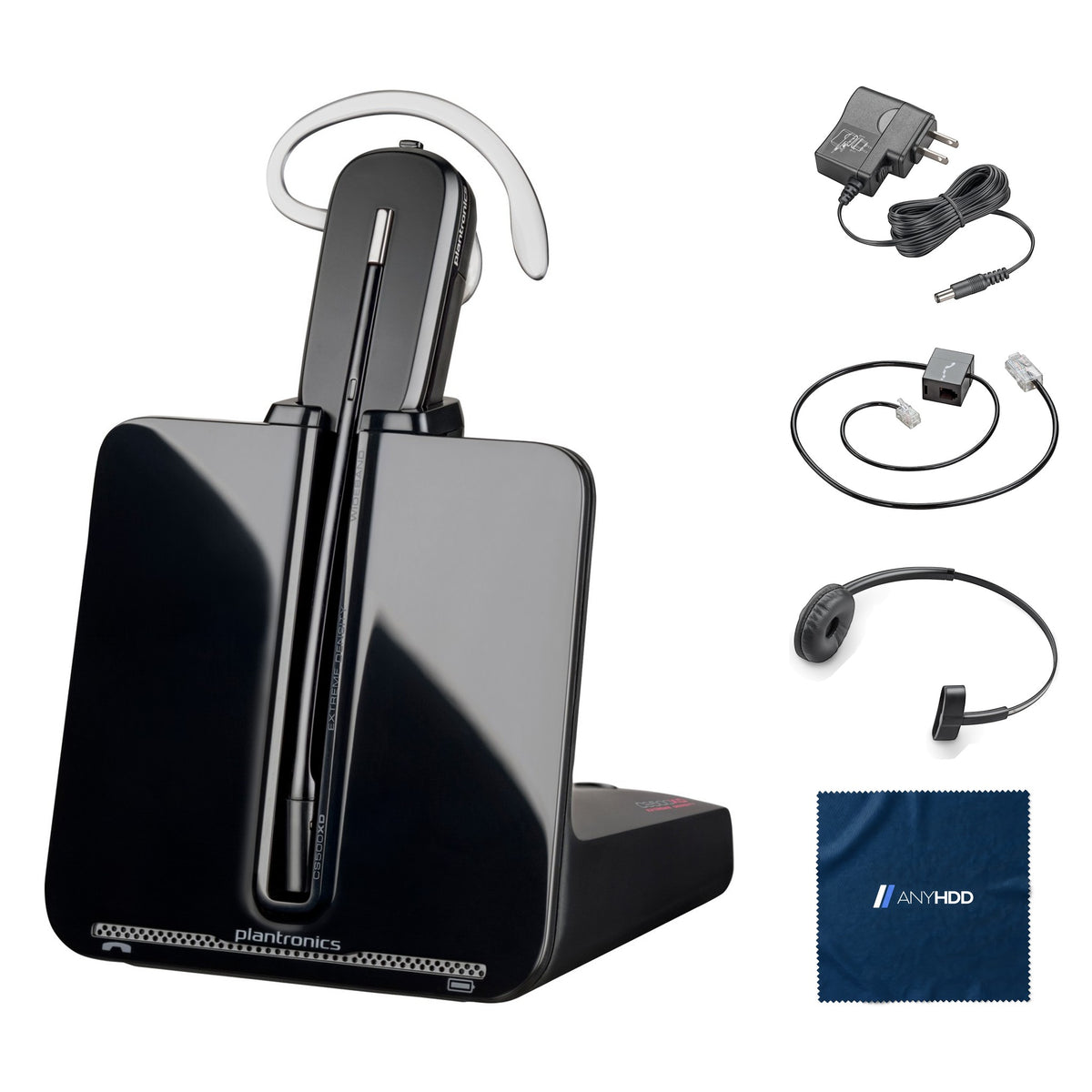

Poly CS540A DECT headset Bundle
with Power adapter, Telephone interface cable, Headband and AnyHDD microfiber cloth
Online ordering opens soon. Contact us for pricing and availability.

What's in the box.


Manufacturer kit also includes extra eartips and earloops (fit kit). HL10 lifter and EHS cable for remote answering are sold separately.
Get up. Stay on the call.
The CS540 turns your desk phone wireless: a lightweight earpiece, a charging base that plugs in beside the phone, and up to 7 hours of talk time.

Two ways to wear it.
Wear the earpiece over either ear with the earloop, or clip on the included headband. Switch the base to wideband for richer audio, or narrowband for longer battery life.
- Earloop, left or right earEartips and earloops in more than one size in the box.
- HeadbandIncluded; a behind-the-head band is available as an accessory.
- Wideband / narrowbandSwitch on the base.
- Noise-cancelling microphonePer HP's CS540A specifications.

Seven hours on the move.
Up to 7 hours of talk time on a single charge; dock the headset in the base between calls to recharge.
The battery is replaceable, so the headset outlives its first battery.
Talk time drops in wideband mode and at the edge of range. Poly recommends replacing the battery after three years or 300 charge cycles. Source: CS540 user guide.
Built for your desk phone.
Choose how you want to answer: lift the handset, or add a lifter or EHS cable to answer and end calls away from the desk.
The CS540 connects to desk phones only; it has no USB or Bluetooth connection. Source: CS540 user guide.
Controls and connections.
On the earpiece and on the base.
On the headset
- Call control buttonanswer, end
- Volume / muteon the earpiece
On the base
- Telephone interface portto the phone
- PowerAC adapter
- Wideband / narrowbandswitch
- Configuration switchA–G (A for most phones)
Options
- HL10 liftersold separately
- EHS cablesold separately
Share the call.
Up to three more CS540 headsets can join a call on one base: dock the guest headset in your base during the call and accept within ten seconds.
- Conference up to 3 extra headsetsOn one base.
- Out of rangeThree tones warn you; the call resumes when you return, and drops after 5 minutes out of range.
- PlacementKeep the base at least 6 in from the phone and 12 in from the computer.

Built for the whole team.
A desk-phone headset IT can standardize on: one base per desk, replaceable batteries, no software.
No software
Connects to the desk phone directly; nothing to install on a computer.
Replaceable battery
Swap the battery instead of the headset.
Hearing protection
SoundGuard acoustic protection (HP CS540A specification).
Conference calls
Up to three extra headsets on one base.
Works with your desk phone.
The CS540 plugs into the handset port of most desk phones. It is not a computer or Bluetooth headset.
A handset port (the coiled-cord jack). For remote answering, an HL10 lifter or a compatible EHS cable, both sold separately.
No computer, no software, no Bluetooth pairing.
Factory sealed, ready to connect.
This one is factory sealed, so it skips the bench entirely — it ships exactly as it left the manufacturer, with the AnyHDD extras packed alongside.
Original Poly carton
New stock in the manufacturer's sealed retail packaging, never opened.
Genuine accessories inside
Everything the manufacturer packs in the carton stays in the carton.
Ready to connect
Packed alongside the sealed carton: an AnyHDD microfiber cloth.
Backed by AnyHDD's one-year warranty and 30-day returns, with free return shipping on defective items. We've supplied IT hardware to businesses since 2006.
Tech specs
As published by Poly (formerly Plantronics) for the CS540 (user guide 200978-06).
| Model | Poly CS540A (formerly Plantronics CS540), DECT 6.0 |
|---|---|
| Wireless technology | DECT 6.0, authorized for use in the Americas |
| Wearing styles | Over-the-ear earloop (left or right) or headband; behind-the-head band available as accessory |
| Audio | Wideband / narrowband switch on the base |
| Connection | Desk phone via telephone interface cable; HL10 lifter or EHS cable optional (sold separately) |
| Conference | Up to 3 additional headsets on one base |
| Talk time | Up to 7 h |
|---|---|
| Charge time | 3 h full charge; 20 min before first use |
| Battery | Replaceable |
| Hearing protection | SoundGuard |
| In the manufacturer kit | Base, headset with battery, eartip and earloop, headband, extra eartips and earloops, telephone interface cable, power supply |
Sources: Plantronics CS540 Wireless Headset System user guide (200978-06); HP CS540A product specifications (SoundGuard). Range and weight are not in the CS540 guide and are left out.
Questions we get asked.
How do I connect it to my desk phone?
Connect the telephone interface cable to the back of the base, move the handset coil cord from the phone to the cable's junction box, and plug the remaining end into the phone's handset port. Your handset keeps working.
I don't hear a dial tone.
Make sure the headset is charged, press the call control button, and adjust the configuration switch on the bottom of the base (A for most phones, D for Cisco phones without an EHS cable) until you hear a dial tone.
Can I answer calls when I'm away from the desk?
Yes, with an HL10 handset lifter or an EHS cable, both sold separately. Without one, press the headset call button and lift the handset.
Talk time seems short.
Switch the base to narrowband; wideband audio and working far from the base both shorten the up-to-7-hour talk time.
I hear static or buzzing.
Keep the base at least 12 inches from the computer and 6 inches from the phone, and plug its power supply into a wall outlet rather than a power strip.
How quickly does it ship?
Every order ships with tracking. Delivery options and timing are shown at checkout.
What if it isn't right for me?
You have 30 days to return it, with free return shipping on defective items.
What warranty does it come with?
Every unit is covered by AnyHDD's one-year warranty at minimum.
Who is AnyHDD?
We've supplied IT hardware to businesses since 2006. Storage products we sell are erased to NIST 800-88 before they ship.



