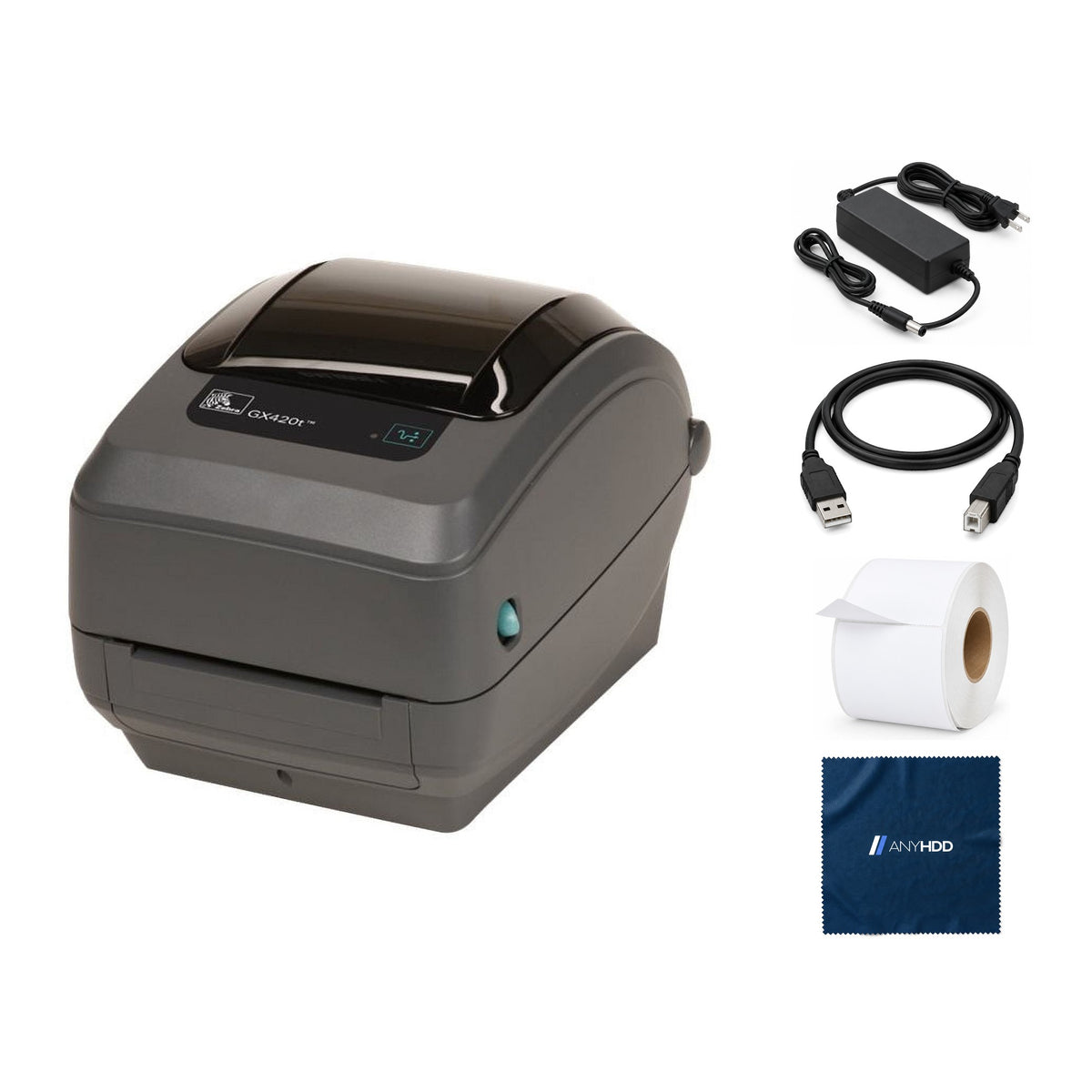

Zebra GX420t Bundle
with Power adapter, USB 2.0 cable, 4×6 label roll and AnyHDD microfiber cloth
Online ordering opens soon. Contact us for pricing and availability.

What's in the box.


Print, peel, apply. Ribbon optional.
The GX420t prints with a ribbon for labels that last, or without one on direct thermal stock, and this unit has Zebra's label dispenser: it peels each label off the liner and waits for you to take it.

Two ways to print. You choose per job.
On direct thermal labels the printhead darkens heat-sensitive paper. Load a wax, wax/resin or resin ribbon and the GX420t prints thermal transfer onto standard label stock, for labels that survive handling and time.
Zebra's rule: print without a ribbon only on direct thermal media, and use thermal-transfer media whenever a ribbon is loaded.
Ribbon specifications

The factory label dispenser, shown with its door open and the liner threaded.
Peel and present, built in.
The factory-installed dispenser separates each label from its liner as it prints and presents it ready to apply. Taking the label tells the printer to print and peel the next one.
Turn on the label-taken sensor in the driver (or send ZPL ^MMP); without it, peeled labels are stacked and ejected. Peel mode needs labels at least 0.50 in (12.7 mm) long, and Zebra advises testing your media, since the peeler may not work with every label type.
Pick a label.
See what it prints.
The GX420t takes media from 0.75 to 4.25 inches wide and 0.5 to 39 inches long. Choose a common size to see how it fits the 4.09-inch print area and how long it takes at full speed.
Dot counts are the printable part of the label (up to the 4.09-inch print width) multiplied by 203 dots per inch, rounded down. Times are the label length divided by the maximum 6 in/s; the first label after a pause takes slightly longer. Media ranges are Zebra's published specifications. The printer is drawn with the standard front; this unit has Zebra's label dispenser.
USB, serial and the network.
This GX420t has USB, RS-232 serial and an internal 10/100 Ethernet print server, which on GX models takes the place of the parallel port.
Rear panel
- SerialRS-232 · DB-9
- USBType-B
- EthernetRJ45 · 10/100
- Power inDC · external supply
- Power switchRocker, I / O
Our listing
- New · USB + serial + Ethernet configuration
Takes the labels you already buy.
Direct thermal or thermal-transfer stock in the ranges below runs in the GX420t. With the dispenser, labels need to be at least 0.50 in long.
The printer your labeling software already knows.
The GX420t speaks ZPL II and EPL2, the label languages warehouse, compliance and shipping systems have supported for decades.
ZPL II and EPL2
Both built in, so formats written for Zebra and Eltron printers print unchanged.
Peel and present
The label-taken sensor holds the next label until the last one is taken.
Seven feed-button modes
Configuration label, auto and manual calibration, serial autobaud, factory defaults, print width and darkness.
Network management
Web View sets up and checks the printer from a browser over Ethernet.
Works with the computer you have.
Zebra's Windows driver installs with Zebra Setup Utilities. Mac and Linux print through the operating system's built-in Zebra label drivers, which Zebra doesn't support but many apps rely on.
A free USB port, a network drop, or a serial port with a null-modem cable.
Ink or toner. A ribbon only for thermal-transfer labels.
Factory sealed, ready to print.
A New GX420t arrives in Zebra's sealed carton, with everything Zebra packs inside it.
New stock in the original Zebra carton, never opened.
Zebra's own accessories stay in the carton, including the power supply.
The label roll, USB cable and AnyHDD microfiber cloth listed above are packed alongside.
Backed by AnyHDD's one-year warranty and 30-day returns, with free return shipping on defective items. We've supplied IT hardware to businesses since 2006.
Tech specs
As published in Zebra's documentation for the GX420t.
| Model | Zebra GX420t, USB + serial + Ethernet, factory label dispenser |
|---|---|
| Print methods | Thermal transfer or direct thermal |
| Resolution | 203 dpi (8 dots/mm), 0.0049 in dot pitch |
| Print speed | Programmable 2, 3, 4, 5 or 6 in/s (51 to 152 mm/s) |
| Maximum print width | 4.09 in (104 mm) |
| Print length | Up to 39 in (991 mm) |
| Media width | 0.75 to 4.25 in (19 to 108 mm) |
| Media length | 0.50 in (12.7 mm) minimum with the label present sensor |
| Media roll | 5 in (127 mm) outside diameter; 0.5, 1.0 or 1.5 in core |
| Ribbon | 1.33 to 4.3 in wide, 244 ft (74 m), 0.5 in core; wax, wax/resin, resin |
|---|---|
| Interfaces | RS-232 serial (DB-9), USB, internal 10/100 Ethernet (replaces parallel) |
| Label dispenser | Factory installed: peel and present with label present sensor |
| Languages | ZPL II, EPL2 |
| Processor and memory | 32-bit RISC; 8 MB SDRAM (3 MB user), 4 MB flash (1.5 MB user) |
| Power | Auto-detecting 100–240 VAC, 50–60 Hz, rated 100 W |
| Operating environment | 40 to 105 °F (4.4 to 41 °C), 10 to 90 % RH non-condensing |
| Dimensions | 7.5 in H × 7.6 in W × 10.0 in D (191 × 193 × 254 mm), no options installed |
| Weight | 4.6 lb (2.1 kg), no options installed |
Sources: Zebra GX420d, GX420t and GX430t Printer Specifications (6/14); Zebra GX420t/GX430t User Guide.
Questions we get asked.
Do I need a ribbon?
Only for thermal-transfer printing. Without a ribbon the GX420t prints on direct thermal labels. Zebra's rule: no ribbon means direct thermal media; a ribbon means thermal-transfer media. A ribbon is not in our bundle.
How does the label dispenser work?
It peels each label from the liner as it prints and presents it. Taking the label triggers the next one, once the label-taken sensor is turned on in the driver or with ZPL ^MMP. Without the sensor, peeled labels are stacked and ejected.
Which labels work with the peeler?
Labels at least 0.50 in (12.7 mm) long. Zebra notes the dispenser may not work with every media type, so test your stock first.
Which ribbons fit?
Wax, wax/resin or resin ribbons 1.33 to 4.3 inches wide, 244 feet long on a 0.5-inch notched core, one ribbon per 5-inch roll of labels. Zebra warns against cores notched on one side only.
How often should I clean the printhead?
After every roll of ribbon when printing thermal transfer, or every roll of labels when printing direct thermal, with a cleaning pen once the head has cooled.
How fast does it ship?
Every order ships with tracking. Delivery options and timing are shown at checkout.
What warranty comes with it?
One year from the date of delivery. It may also be eligible for the original manufacturer's warranty, but AnyHDD's own 1-year coverage applies either way.
What if I need to return it?
If it fails in the first 30 days, you choose replacement or refund. There is no restocking fee, and refunds go back to your original payment method. If the item arrived defective, damaged, or isn't what you ordered, AnyHDD pays the return shipping; for any other reason the return label is yours to cover.
Has this GX420t been used?
No. New units arrive in the sealed manufacturer carton, never opened. We've supplied IT hardware to businesses since 2006.



